
Sugargoo finding & buying guide
What a Sugargoo Spreadsheet helps you do
A Sugargoo Spreadsheet is a product-discovery collection: photos, category labels and links that help you reach a seller. The term can describe a traditional shared sheet or a browsable website; this site uses category pages and search.
Read the card, then open the listing
A card makes a large catalogue easier to browse, but the seller page carries the purchase details. Open it to check the exact model, selectable options, quantity tier and current availability. Two cards can share the same promotional picture while leading to different sellers or versions.
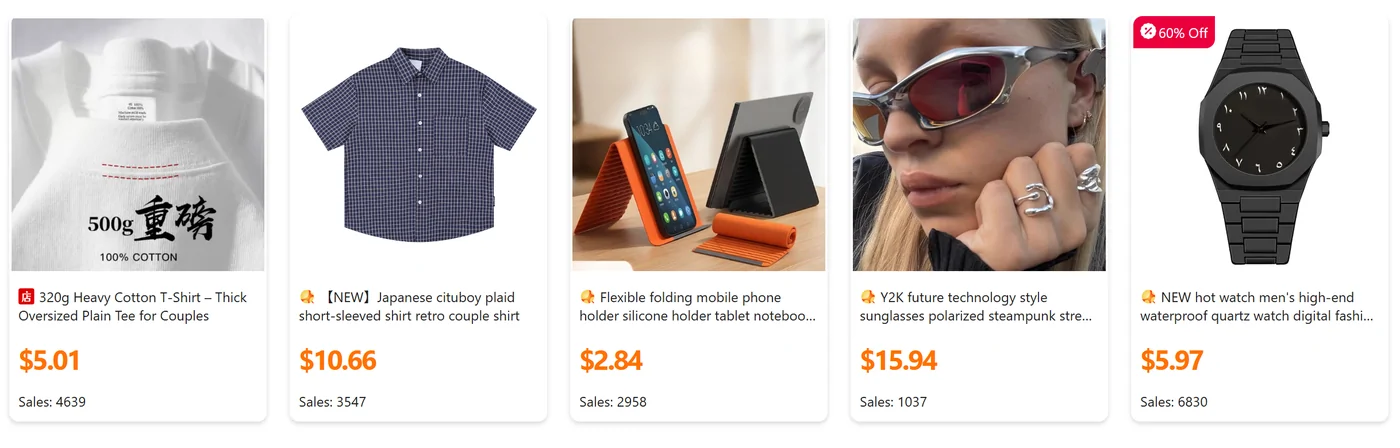
A displayed price may be rounded, converted into another currency or attached to the lowest-priced option. A sales count does not identify the quality of the unit you will receive. Keep the original seller URL with the selected option instead of treating the card as a complete order.
How to use the collection for a first order
- Start with a category or a specific search, then shortlist a few listings that describe the item clearly.
- Open each listing and compare its size chart, materials as stated by the seller, included accessories and available colours.
- Check whether the selected quantity changes the unit price or domestic delivery charge.
- Confirm that the agent can purchase and ship this item type to your destination before paying.
- Copy the original product link to Sugargoo and reselect the correct specification in the order screen.
For example, a hoodie card might show the same picture for a lightweight and a heavier version. Save the option label and ask about the relevant measurement or fabric specification before assuming the lower price buys the pictured version. This is a comparison scenario, not a claim about a particular seller.
Why our guide helps with the next step
The guide keeps the steps around the product link visible: choosing the right buying entry, comparing a complete purchase cost, checking warehouse photos and preparing a support request. Those decisions often matter more than adding another similar listing to a shortlist.
The agent and the discovery page perform different tasks. This site helps you find and understand a link. Sugargoo handles supported purchases and account operations; the seller supplies the product. A link collection cannot reserve stock, approve a return or certify an item.
If all you have is a photograph, use it to identify a likely product and seller, then confirm the match from a live listing. If you already bought the item in China yourself, the useful next step is forwarding rather than placing a second agent purchase.
How to choose a useful Spreadsheet site
Look for links that lead to an identifiable seller and a clear item, with categories you can navigate and enough context to check the selected option. A useful discovery page should make its role and any referral relationship understandable. Treat sales language, a large catalogue and a familiar product photograph as browsing information rather than independent quality proof.
Check a few entries yourself: does the link open, does the pictured model match, and can you find the actual specification and purchase conditions? A date on an article is useful only if it tells you what was checked. Avoid building a shortlist around a price or availability claim that has no context.
This guide pairs the discovery entries with ordering and help explanations so that you can continue once you have a link. Use the same checks on our entries; a changed or unavailable seller page should be resolved before you pay.